To use the LinkBuilder.com API, you need an API key. It identifies your account and connects your requests to your plan and Domain Credits.
Step 1. Sign in or create an account
Sign in to LinkBuilder.com. If you don’t have an account yet, register for free.
Step 2. Choose an API plan
Open the API page and choose a plan: Pro, Ultimate or Marketplace API. Your plan defines how many Domain Credits you get each month, how many websites you can get per request and how many provider offers are returned for each website.
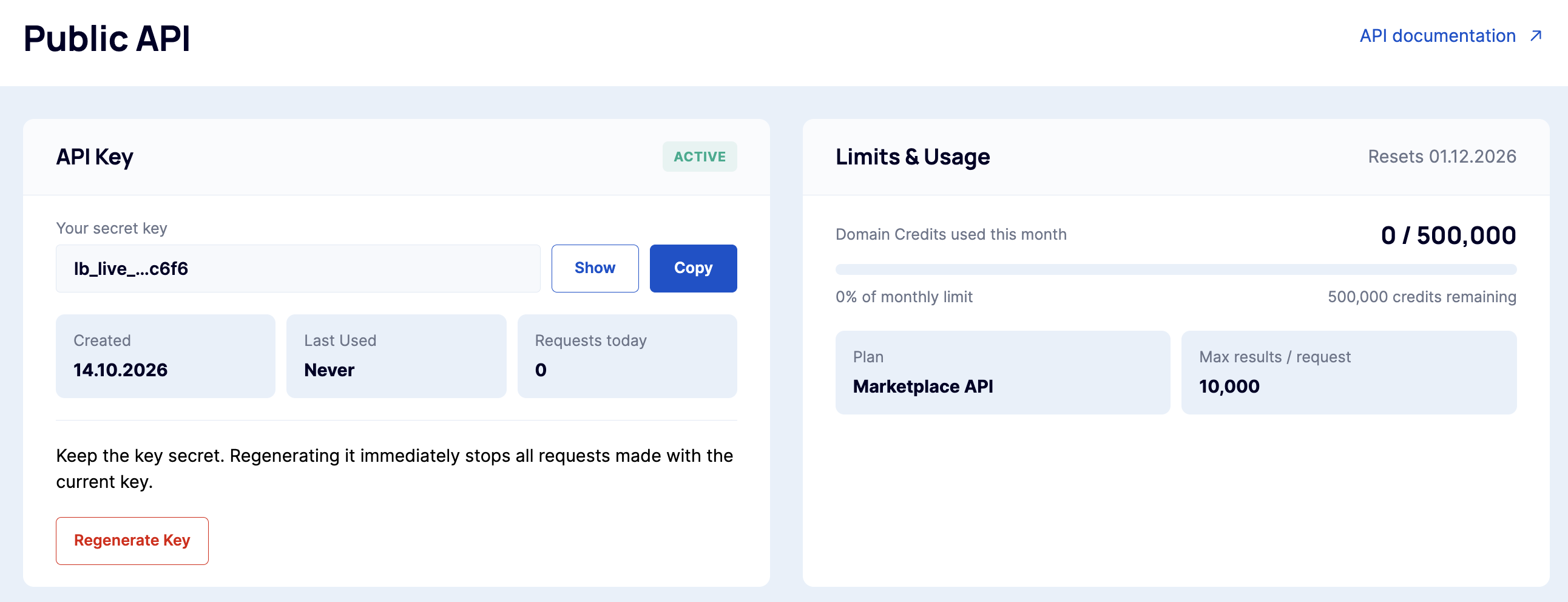
Step 3. Generate your API key
Copy the key and store it somewhere safe.
Step 4. Add the key to your requests
Include your API key in every request.
curl https://client-api.linkbuilder.com/v1/account/usage \
  -H "Authorization: Bearer YOUR_API_KEY"
This test request returns your current plan, used and remaining Domain Credits and limits. It’s an easy way to check that your key works.
Keep your API key secure
Your API key gives access to your plan and credits, so treat it like a password:
-
don’t share it publicly or commit it to GitHub or other repositories;
-
don’t use it in client-side code, such as browser JavaScript or mobile apps;
-
store it in environment variables or a secrets manager on your server.
If you think your key has been exposed, [уточните: regenerate it on the API page — the old key will stop working immediately].
Troubleshooting
-
Request returns an authentication error. Check that the key is copied in full, without extra spaces, and passed in the correct format.
-
Key works but no websites are returned. Check your remaining credits with
GET /v1/account/usage. -
Can’t see the option to generate a key. Make sure your API plan is active. If the problem persists, contact support.